Native macOS launcher
Everything on your Mac. One keystroke away.
A tiny, native launcher. No Electron. No account. No telemetry. No bullshit.
v0.10.5macOS 26+AGPL-3.0
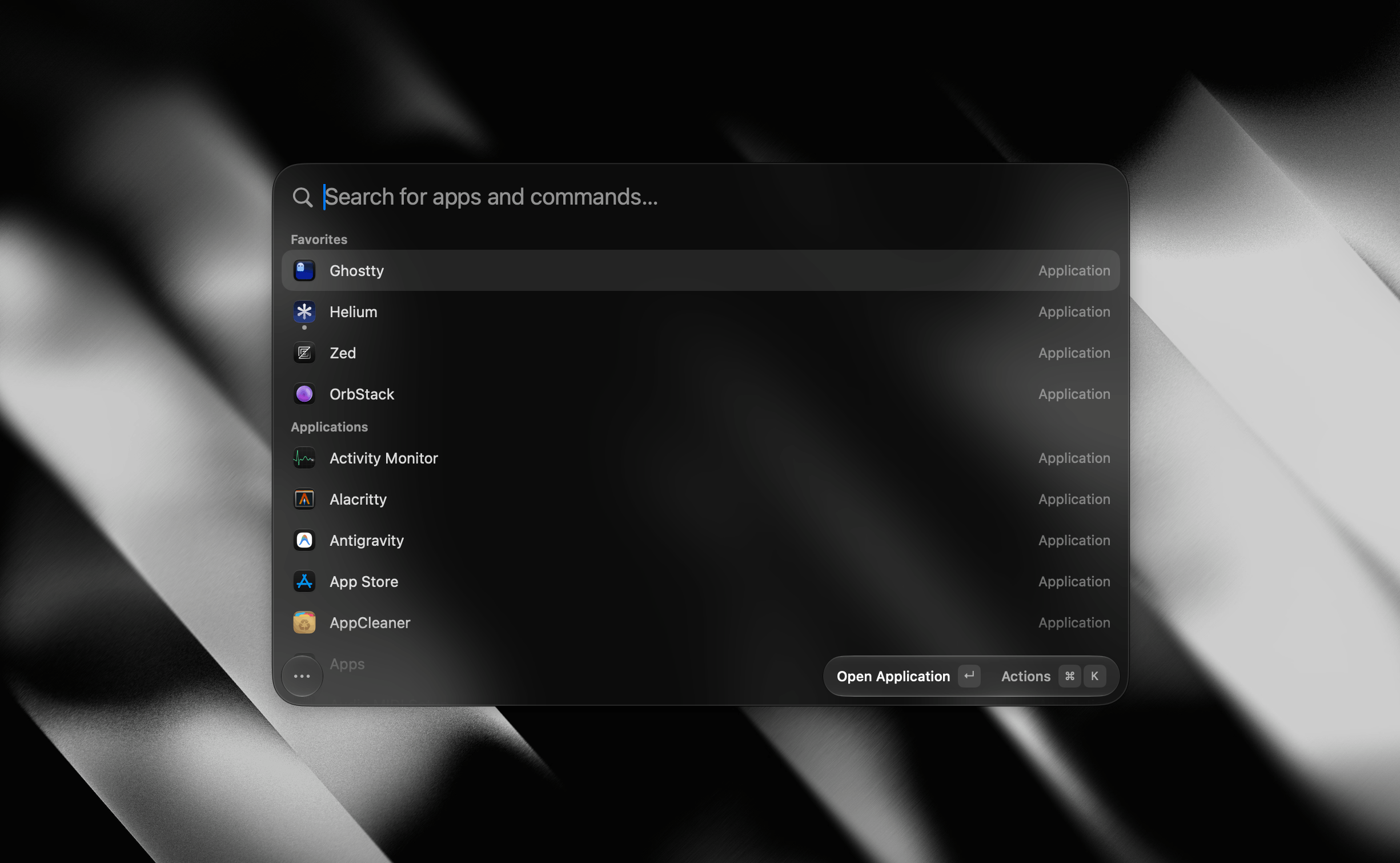
Pick a shortcut on first run, then summon it from anywhere.
Tinycast in action
See it in motion.
A palette that stays out of your way — until you need it.
What it does
Everything you reach for, one keystroke away.
One palette, and everything in it is off until you ask for it. Every card links to its documentation.
Why it's tiny
Built like a Mac app should be.
Native SwiftUI and AppKit, with zero third-party dependencies. Fast because there's barely anything to it.
- Free & open source
- Local by design
- No account, no sign-in
- Zero telemetry
- One permission, asked once
Already set up elsewhere?
Bring your setup with you.
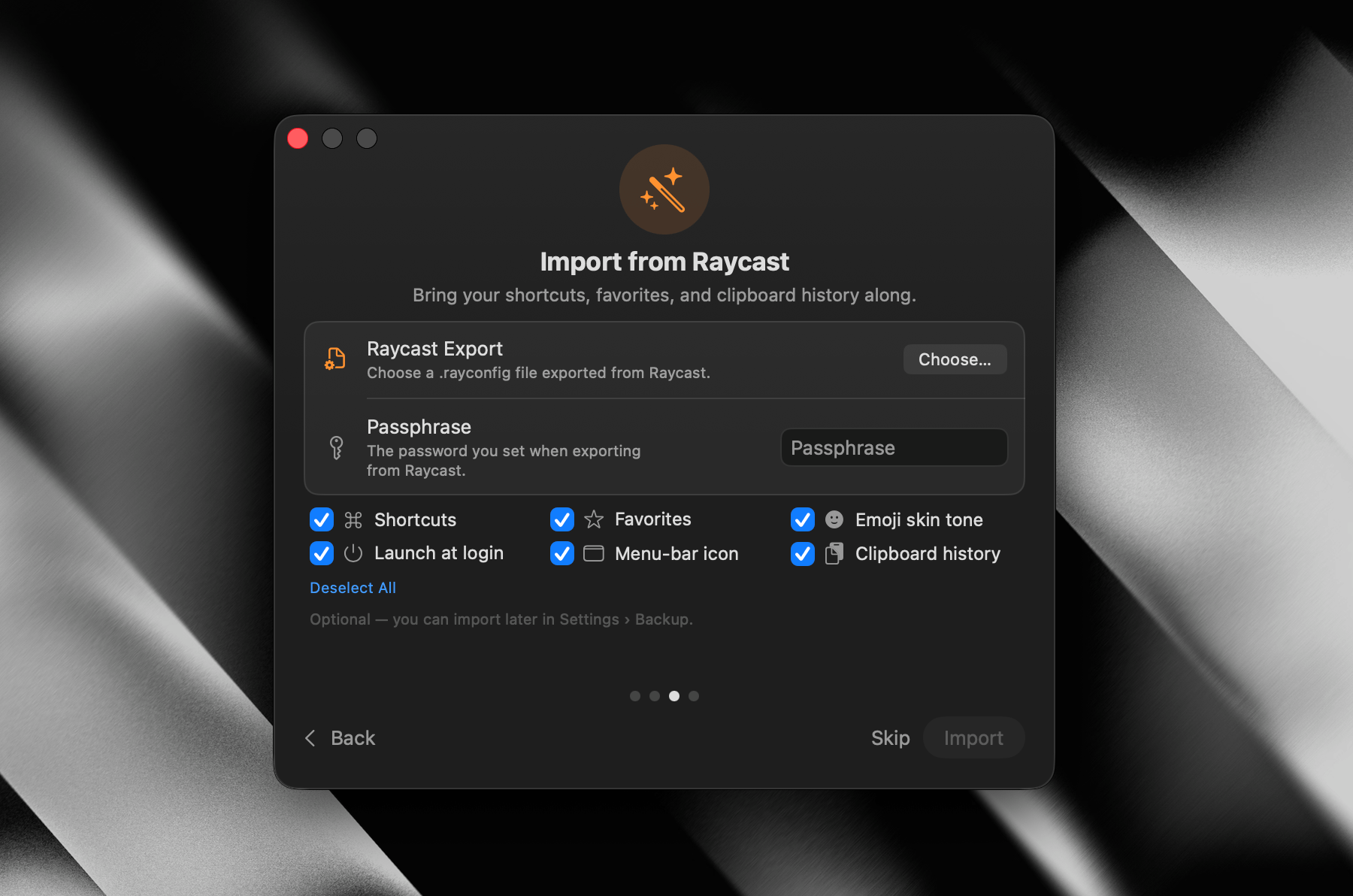
Tinycast reads a Raycast export directly. Point it at your .rayconfig file, type the passphrase, and pick what comes across — no redoing shortcuts by hand.
- Export what you haveRaycast → Settings → Advanced → Export, and note the passphrase.
- Open Settings → BackupChoose the file. Tinycast reads both export formats and says which one it found.
- Pick what to bringKeep it all or just the parts you want — then you're set up.
Comes across
- Shortcuts
- Favorites
- Clipboard history
- Snippets
- Aliases
- Emoji skin tone
- Compact mode
- Pop to root
- Launch at login
- Menu-bar preference
Get it
Install with Homebrew.
One command and you're running. Each channel installs as its own app, so a pre-release can live beside stable.
brew trust --tap abue-ammar/tinycast && brew install --cask abue-ammar/tinycast/tinycastDownloading the DMG instead?
Tinycast is self-signed — there's no paid Developer ID behind it — so macOS quarantines a direct download. Homebrew clears that flag for you on every install and update. If you grab the DMG from Releases by hand, clear it once:
xattr -dr com.apple.quarantine "/Applications/Tinycast.app"